Laravel VPS now supports managed databases powered by PostgreSQL. Create, monitor, and manage database clusters
directly from Forge with built-in observability, read replicas, and automated backups.

Show Improvements (15)
Ubuntu 26.04: Added support for provisioning servers with Ubuntu 26.04.
Managed database validation: Improved form validation and error handling for managed database clusters.
Dashboard performance: Improved performance across server, site, and organization overview pages.
Load balancer API: Added an API endpoint for creating sites on a load balancer.
Backup API: Added database_ids attribute to the backup API resource.
Server API: Added slug attribute to the API server resource.
API rate limiting: Added rate limiting for command API requests.
Server deletion safety: Servers are now only removed from Forge after being successfully removed from the provider.
Backup configuration: Databases cannot be removed from a backup configuration when it is the last one attached.
Envoyer deployment indicator: Sites deployed via Envoyer are now clearly labeled in the UI.
Scheduled job cleanup: Scheduled jobs are now automatically removed when their associated site is deleted.
Role permissions visibility: Mandatory permissions are now visible but non-removable when editing custom roles.
SSL certificate logs: SSL certificate failure logs are now exposed for easier debugging.
Tooltip accessibility: Replaced tooltips across the dashboard with accessible alternatives that include proper ARIA labels and keyboard support.
Keyboard accessibility: Notification center actions are now reachable via keyboard navigation.
Show Fixes (25)
Fixed backup size always showing as zero.
Fixed managed database cluster permissions for team members.
Fixed metrics for DigitalOcean servers when data points are missing.
Fixed deleting managed database users and databases.
Fixed networking changes not reflecting in the UI.
Fixed duplicate warning icon on the server sidebar.
Fixed deleting servers from provider via API v1.
Fixed Nginx configuration for new Nuxt and Next.js sites.
Fixed backup scheduled time not being applied correctly.
Fixed responsive navbar layout and background processes card.
Fixed deployment retention period not being applied correctly.
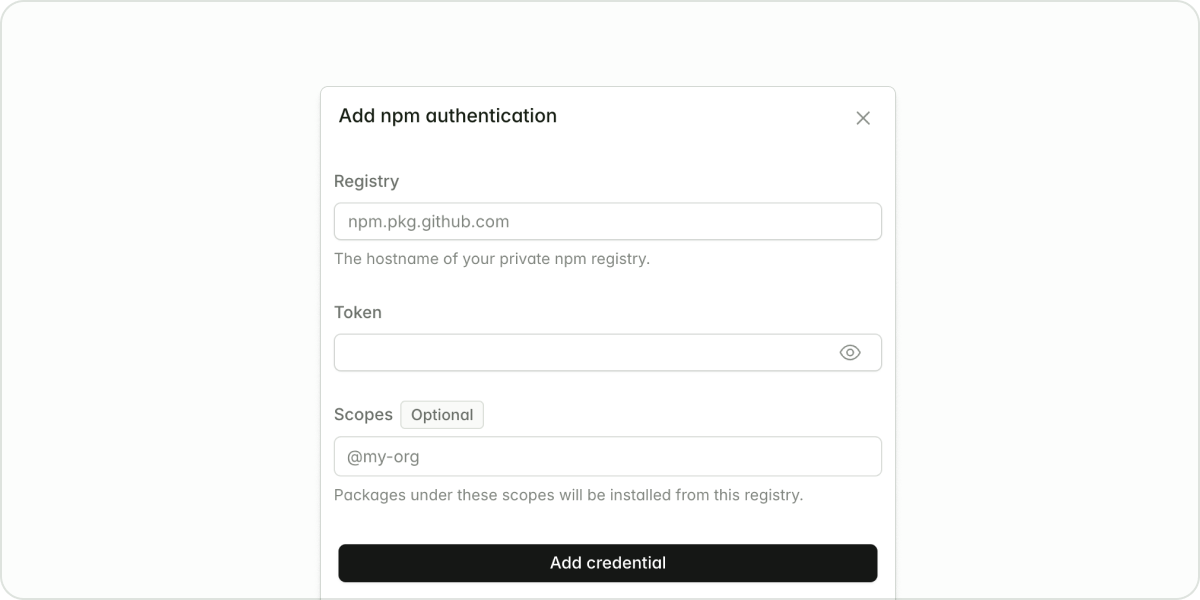
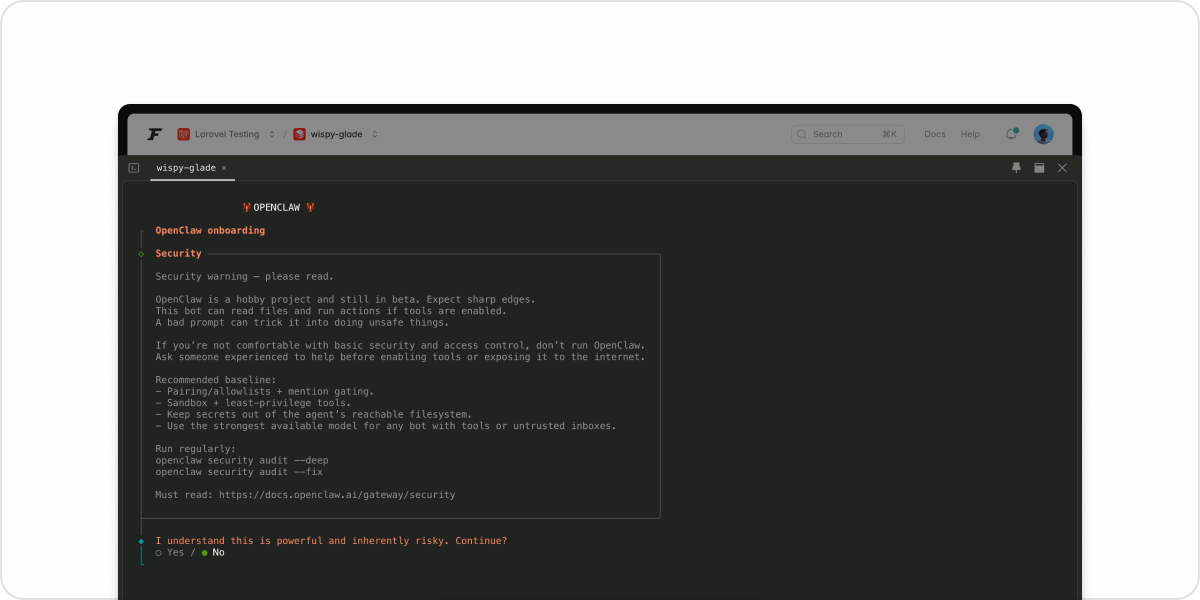
You can now configure npm credentials at the server and site levels to install private packages during deployments. Forge manages the
.npmrc configuration automatically, supporting scoped registries like GitHub Packages and custom registries.
Show Improvements (2)
Vultr VX1 servers: Added support for Vultr VX1 server types when provisioning servers.
Server unlinking: Added the ability to unlink a server directly from the delete server modal.
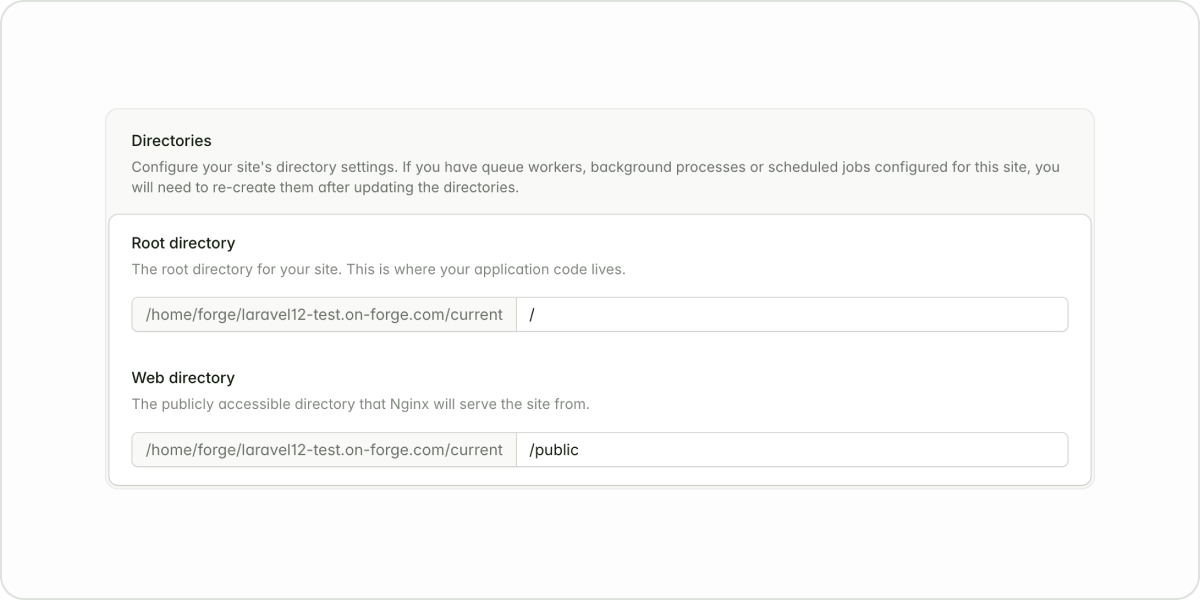
It’s now possible to configure your application’s “root” directory, making it more convenient to serve applications housed within monorepos.
Show Improvements (8)
Manually update database version: Added a refresh button on the database page, allowing you to manually sync the database version.
Increased FastCGI buffers: Increased FastCGI buffers and FastCGI buffer size to decrease the chances of exceeding buffer thresholds, triggering a 502 error.
Branch details: Branch details are now visible on the deployments tab and the deployment details page.
Deployment logs: Deployment logs automatically open on the deployment details page after initiating a new deployment.
Scheduled job frequency: The cron expression now displays when hovering over Custom frequency on the scheduled job card.
Copy certificate output: Added a button to copy the full certificate output in the output modal.
Site install automation: Site installation will trigger the install and build commands automatically.
Accessibility: Dropdowns are now navigable using the arrow keys when opened using the Tab key. Additionally, pressing Esc closes the dropdown.
Show Fixes (9)
Fixed sizing for the Add Users modal to prevent overlapping.
Fixed deployment script macros so commented lines work as expected.
Fixed overlapping organizations when switching organizations in Safari.
Fixed the Let’s Encrypt modal to expand correctly for sites with many domains.
Restored archived server visibility when no active servers exist.
Updated DNS certificates to automatically reuse verification names for the same domain.
Resolved an error appearing in the console when using (command + K) to open the search feature.
Resolved a bug preventing some organization owners from removing users.
Fixed recipe logs so long output no longer collapses unexpectedly.
You can now provision an AWS server with EBS GP3. GP2 will remain the default for already provisioned AWS servers. All new servers will be provisioned with EBS gp3.To move your existing servers from gp2 to gp3, visit your AWS dashboard.

Show Improvements (8)
Recipes search results: Updated the recipe search UI to accurately show that a search returned zero matching results, instead of displaying “no recipes”.
Manual certificate renewal: Added manual certificate renewal for Let’s Encrypt certificates after a failed attempt on the Domains tab.
Site notes: Added site notes in the Settings tab, similar to notes on servers.
Accessibility improvements: Improved color contrast and form labeling across the platform.
Scheduled jobs paths: Added copy support for scheduled job paths in the scheduler.
Clone certificate endpoint: Added an API endpoint to clone certificates. This mirrors functionality already available in the Forge UI.
Copy debug info: Added the site path to the information included in the copy debug info action.
Destructive commands: Added a confirmation step when attempting to run destructive commands.
Show Fixes (14)
Resolved a bug causing the Used Memory monitor to display “unknown” after being installed.
Fixed scheduled jobs to display the next expected run time instead of always showing UTC.
Fixed a z-index issue on the domain dropdown in the Let’s Encrypt modal.
Fixed a bug causing Forge to re-add server’s SSH key to the source control provider when creating a site with a deploy key.
Restored site logs in the Observe tab when Custom and Other are selected in the Framework setting.
Fixed organization-level permissions so users with the Viewer role are not shown settings they cannot edit.
Fixed Hetzner server sizes and prices to display accurate values during provisioning.
Added a current-directory placeholder to the new scheduled job modal.
Fixed onboarding state so users see the billing button in the admin dashboard instead of a subscribe prompt.
Added the Sync Database button for server types other than Database.
Expanded the log file dropdown to accommodate longer options.
Updated backup configuration to ensure deleted databases are shown for removal.
Resolved a bug causing database backups with the server database driver set to MariaDB to fail.
Laravel VPS servers are now displayed in the drop-down when configuring a load balancer.
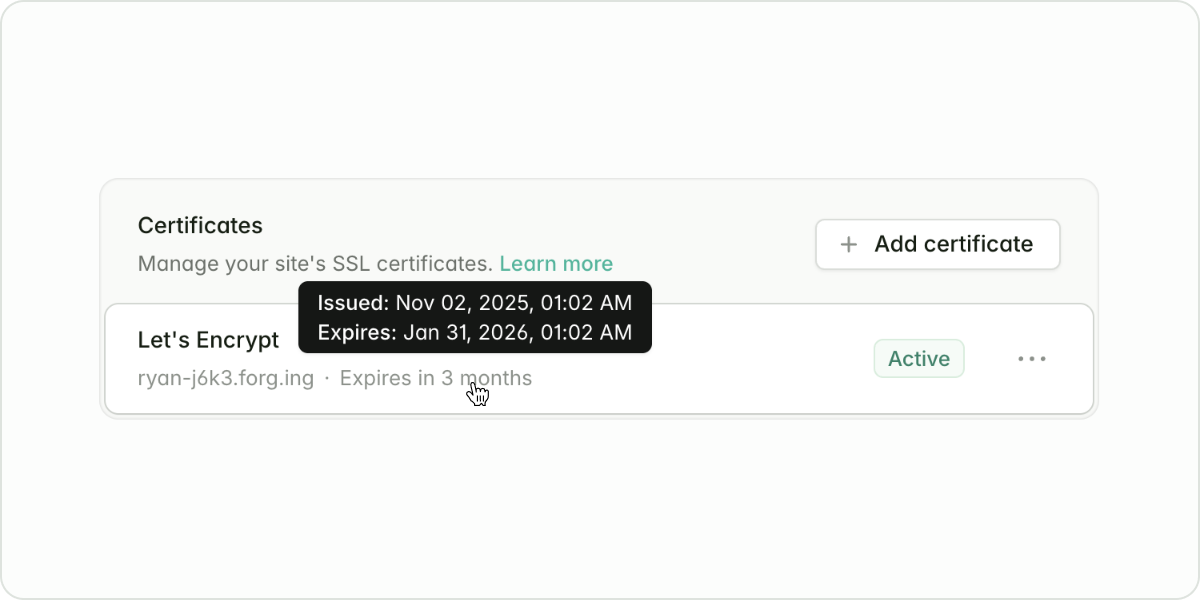
We have made several improvements to the SSL certificate UI.You can now see relevant domains, status, issue date, and expiration date on the certificate card under Certificates, on the Domains tab.Details about why the most recent attempt to renew or issue a certificate failed are now easily accessible in the View Output option.Multiple domains sharing a certificate can be copied all at once by clicking on the domains listed in the card details. Learn more
Show Improvements (5)
Deployment error handling: Improved deployment error output to make troubleshooting easier.
Firewall rule order: Updated the order that firewall rules display to mirror UFW order on the server.
Command palette: Added support for command/control + click in the command palette to open multiple selections at once.
API command output: Added Forge API support for fetching command outputs.
Update Ubuntu records: Added a manual update option for Forge’s Ubuntu records in server overview details.
Show Fixes (4)
Fixed health check URLs to update automatically when the primary domain changes.
Resolved a bug causing the deploy button to be unresponsive on the Deployments tab.
Added validation for certificate field uploads in the existing certificate upload modal.
Fixed a bug causing site and server details to display over the navigation bar.
We have made several improvements to the deployment pipeline to better recover from failed deployments and timeouts.Deployments will now always use the version of PHP configured on the site, even when calling php inside composer.json and package.json files. Notably, this fixes issues using Laravel Wayfinder during deployments.
When Aikido is enabled at the organization level (via the Integrations page), it activates Aikido features for all sites owned by that organization.
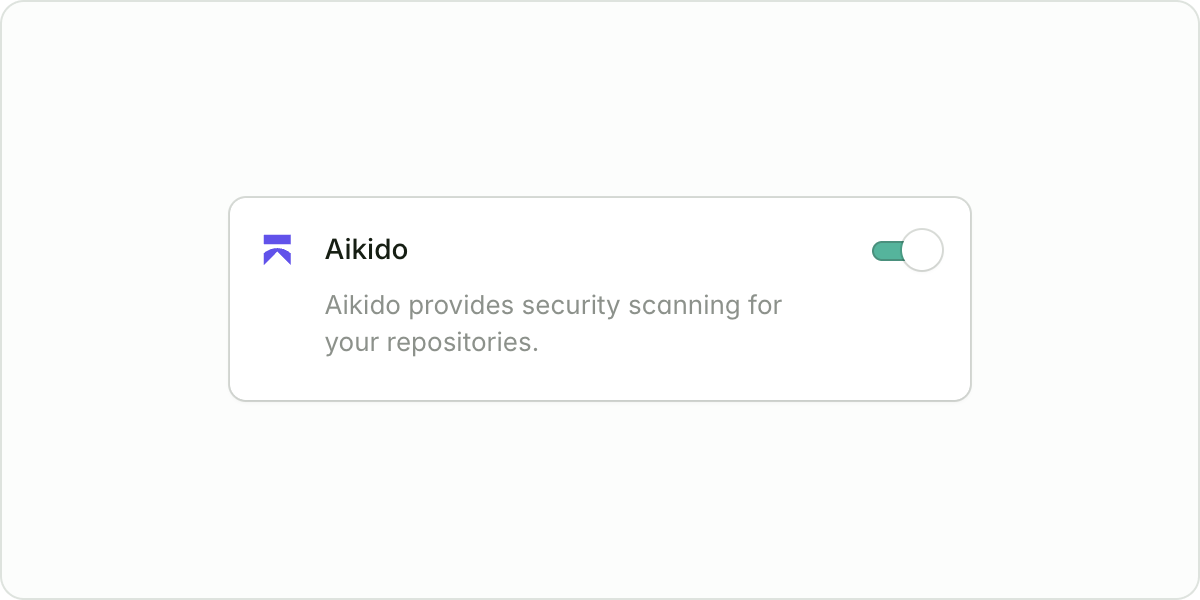
Sites under that organization can then individually opt in to Aikido, enabling security scans and syncing results from Aikido’s API. This ensures a consistent setup while maintaining per-site control. Learn more about our Aikido integration
Show Improvements (10)
Improved search results: Archived servers have been removed from the command palette.
Improved navigation: Linked overview page section titles to their corresponding pages.
Subdomain aliases: Added support for retroactively enabling and disabling wildcards on domains.
Pagination and search: Improved command palette searchability across pages.
Let’s Encrypt controller validation: Added domain-wide validation in the controller to avoid errors.
Restored databases: Added a sudo mode requirement (password confirmation) when restoring databases.
Site repository updates: Added support for changing site Git repositories and branches.
New metric: Added disk usage visibility for Laravel VPS.
Site queue workers: Added site queue workers to Background Processes at the server level.
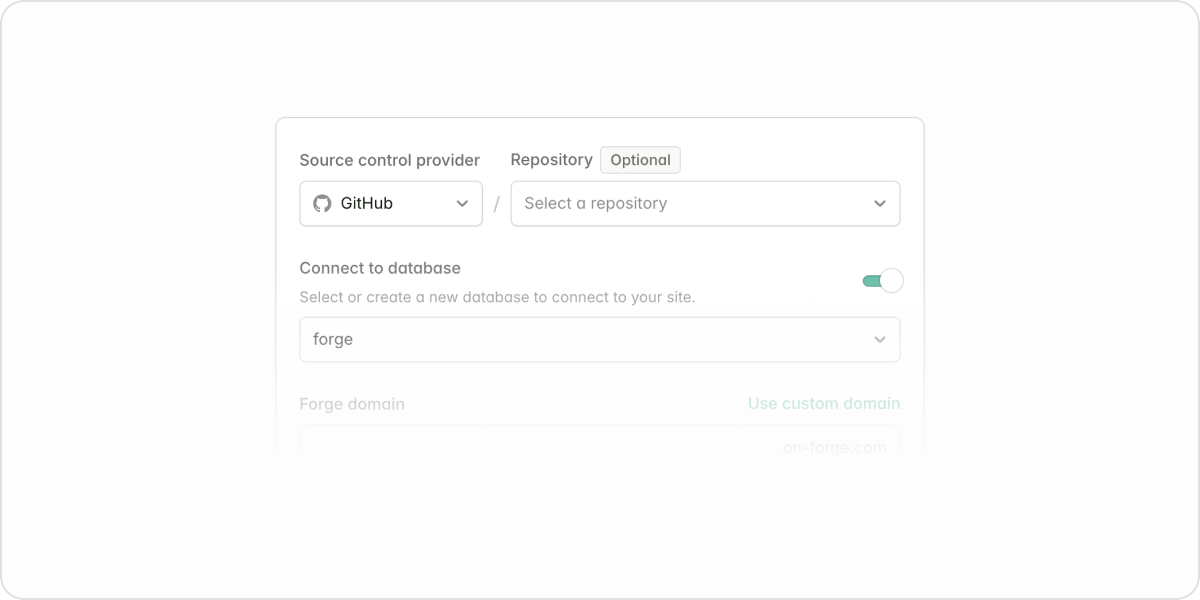
It’s now possible to create new sites with any project type without specifying a repository. This is ideal if you’re starting a new project from scratch or want to deploy code manually.When creating a new site, leave the repository field blank. Forge will set up the server and web root for you, allowing you to upload your code later via SFTP, SCP, or any other method you prefer.
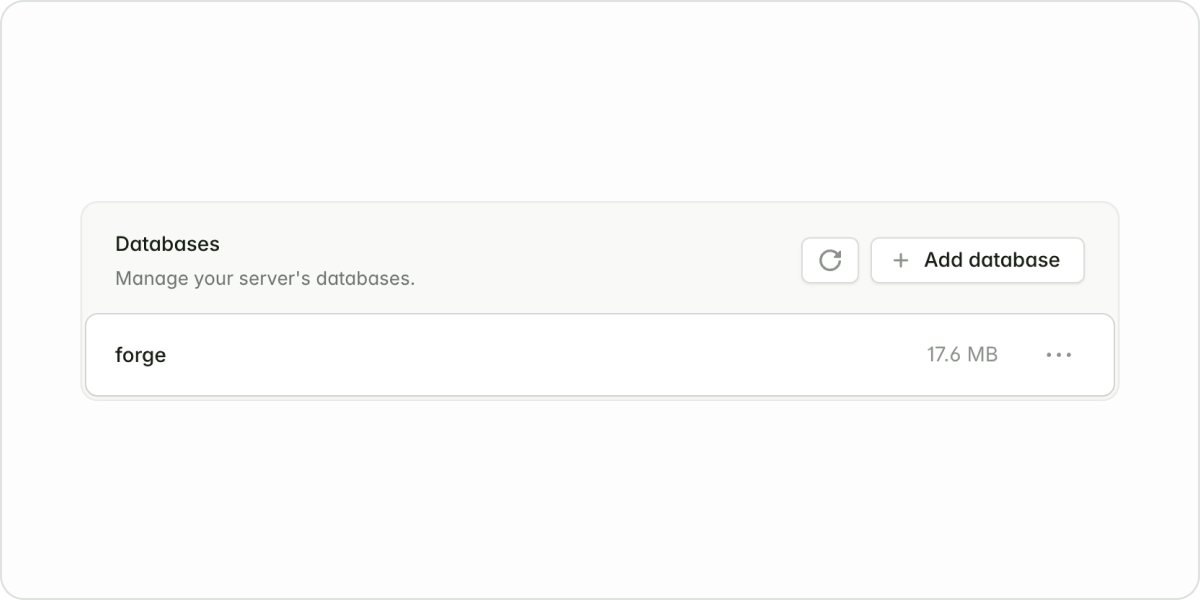
Laravel Forge will now show you the estimated size of databases on your server. This is useful to identify large databases that may require optimization or archiving. Learn more about managing databases in Forge
Show Improvements (9)
Improved dark mode: Improved contrast and readability for dark mode users.
Pagination and searching: Improved the pagination and searching of larger tables.
Rename background processes: Added customizable names for background processes.
Clone SSL certificates: We’ve reintroduced the ability to clone SSL certificates.
Copyable IDs: Added quick copy support for resource IDs from dropdown menus.
Deploy keys now work with zero-downtime deployments: Added support for using deploy keys with zero-downtime deployments.
Maintenance mode redirect path: Added support for redirect paths when enabling maintenance mode on Laravel sites.
Display more information about sites and servers: Added PHP version and isolated username details to site and server list items when applicable.
Better Statamic support: Additional Laravel integrations have been enabled for sites using the Statamic project type.
Show Fixes (8)
Fixed the environment encryption key resetting.
Disabled deployments when a site does not have a deploy script.
Reinstated deploy keys for sites. You can find this in the site’s Deployments tab.
Disabled the PHP 8.5 option while support is unavailable.
Fixed issues in the Envoyer deployment hooks migration flow.
Fixed account deletion for users with organizations that do not have servers.
Fixed duplicate Nginx upstream errors in load balancers.
Fixed zero-downtime deployments to symlink auth.json only when the file exists.
Launched on October 1, the next generation of Laravel Forge delivers speed, control, and ease of use, supporting any modern web stack. This was Forge’s biggest update since its original release in 2014.
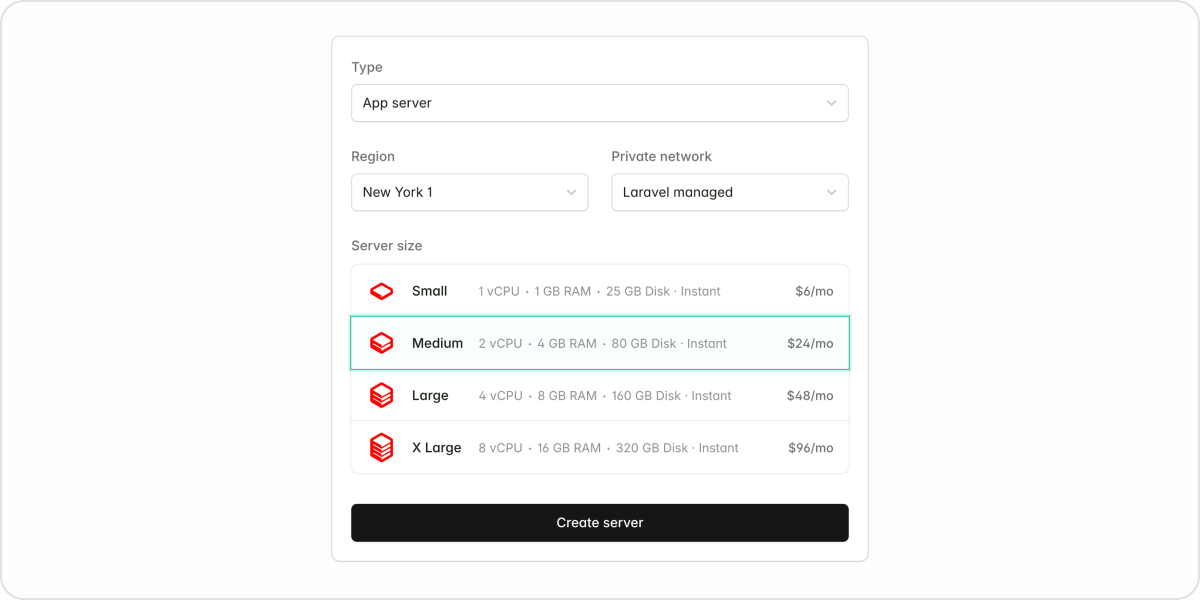
You can now deploy a server in under 10 seconds (for most use cases) using Laravel VPS. Fully configure servers with a single click, reducing server setup time from minutes to seconds.Billing for Laravel VPS appears on your Forge invoice, so you avoid juggling multiple provider bills. An integrated terminal supports SSH collaboration, allowing multiple developers to debug the same session in real-time. See how to provision a server with Laravel VPS
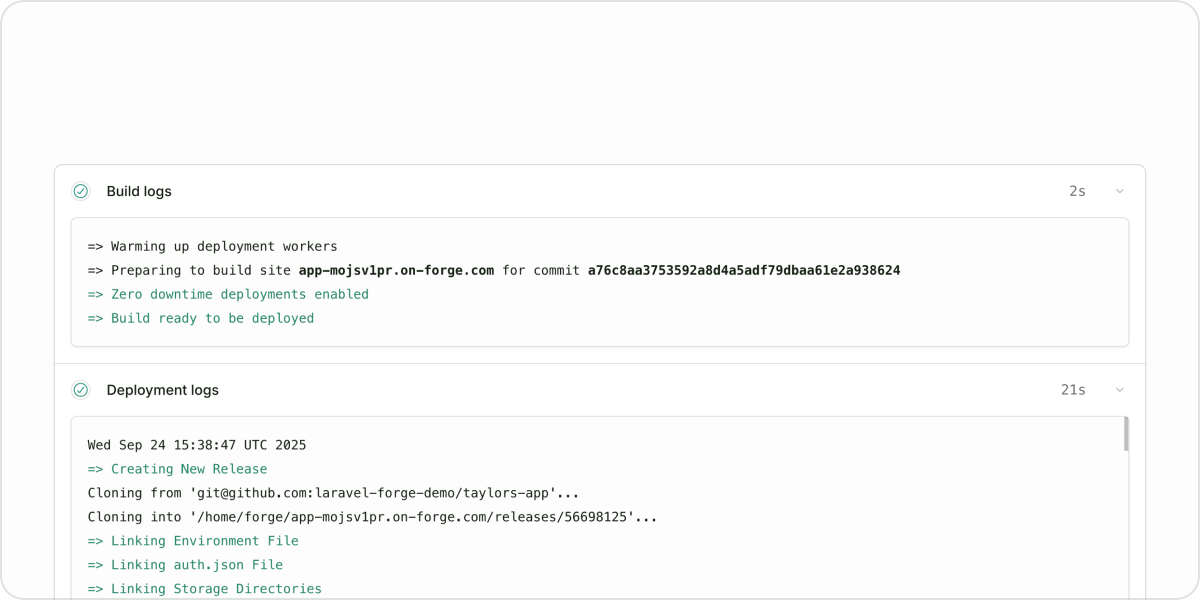
Deployments now run without taking your site offline, giving you added confidence every time you ship. When creating a new website in Forge, zero-downtime deployments are enabled by default; however, you can choose to disable this feature.You cannot enable zero-downtime deployments for existing sites. Learn more
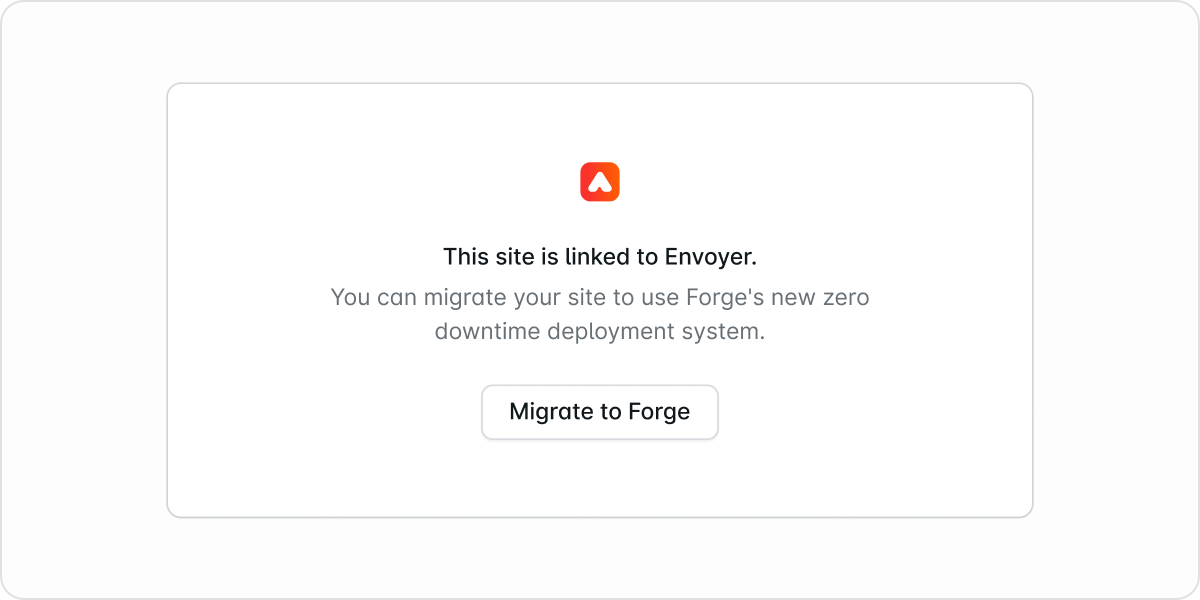
You can now migrate sites from Envoyer to Forge’s zero-downtime deployment system.From your site’s dashboard, click “Migrate to Forge” to start. Forge will check if your site uses multiple servers and guide you through the right steps.Zero-downtime deployments currently support one server per site. If you deploy to multiple servers, we recommend continuing to use Envoyer for now. Existing subscriptions remain fully supported. Read the docs
Forge now includes first-class support for Nuxt and Next.js applications. This update makes it easier than ever to manage full-stack applications on Forge. You can deploy modern JavaScript frameworks alongside your PHP or Laravel projects without extra configuration.When creating a new site, choose Nuxt or Next.js as the project type. Forge will automatically handle the build process, set up the correct runtime environment, and configure your site for production. Start a Nuxt or Next.js project

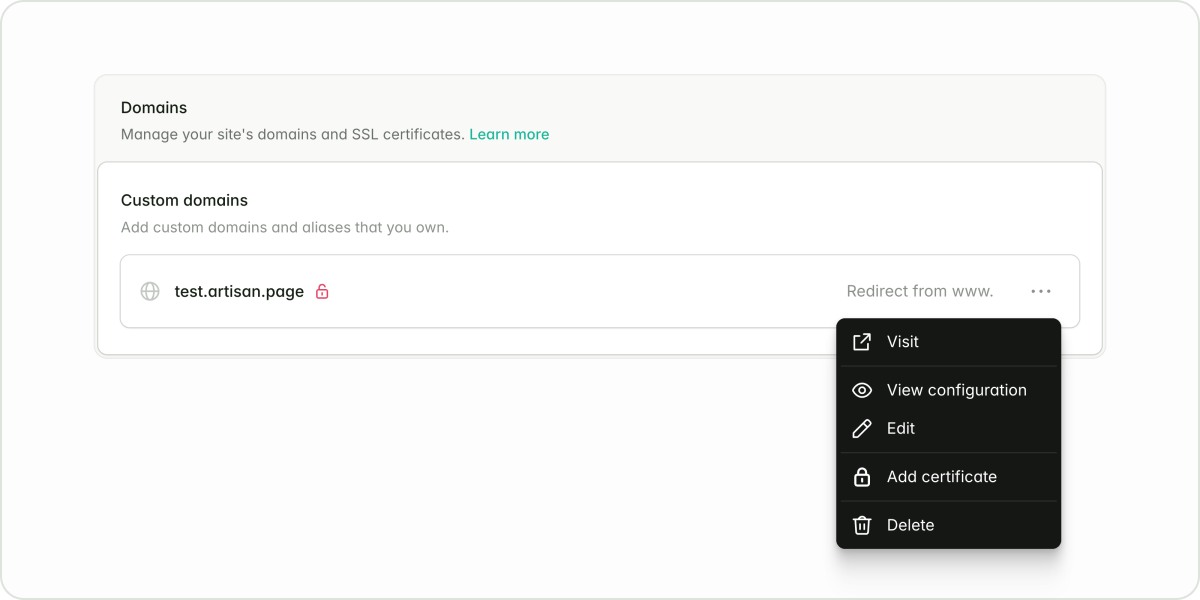
Domains and TLS are now simpler, faster, and more reliable, especially for sites with multiple aliases. SSL certificates are now issued per domain, eliminating multi-domain delays and reducing configuration errors. Managing your Nginx configs is also much easier.Each new site also gets an optional default on-forge.com domain for quick testing and sharing, which can be disabled if you don’t need it. Learn more
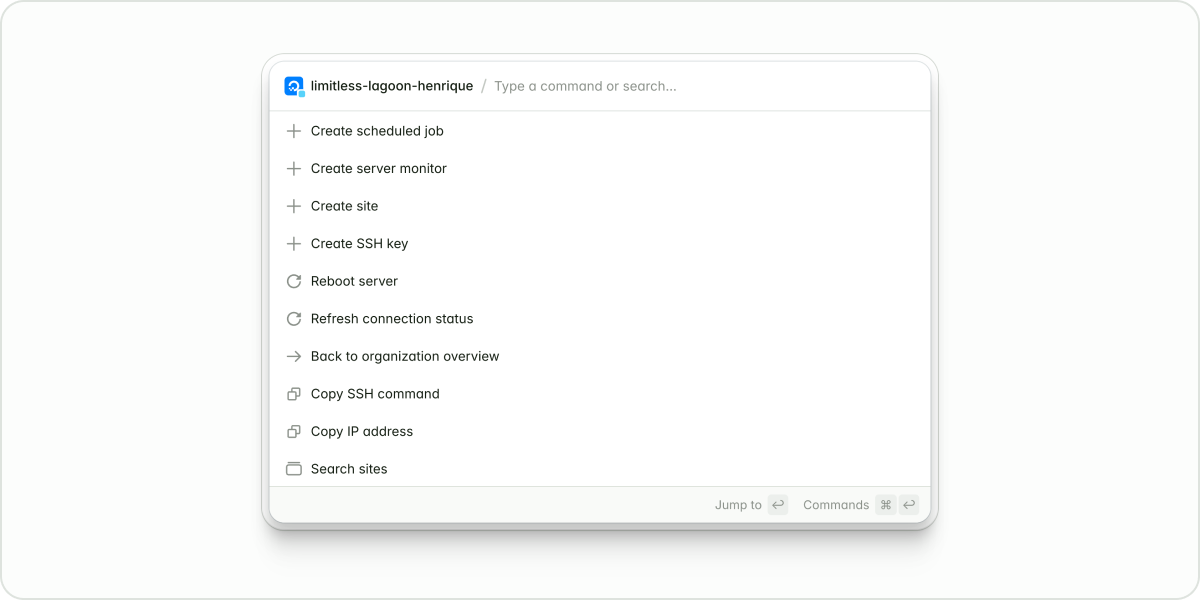
Forge’s interface has been redesigned for faster, more intuitive navigation. Features are now grouped into logical tabs at the top of each page, reducing clutter and making tools easier to find.The new command palette (⌘K) lets you jump to any page or action without reaching for the mouse, speeding up everyday tasks. Explore the new interface
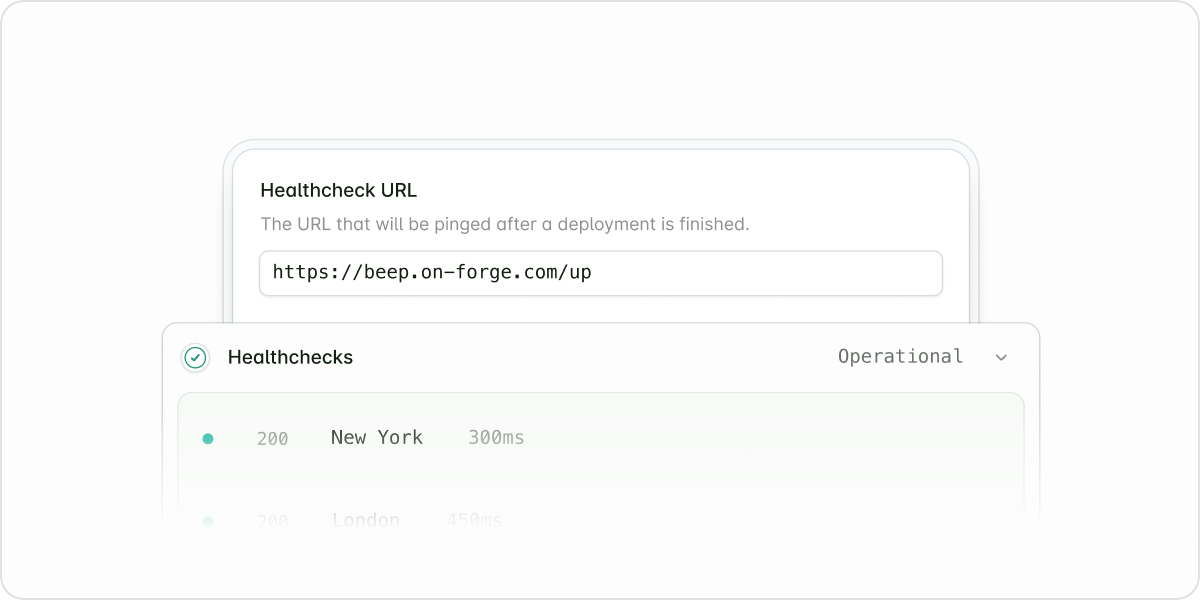
You can now catch connectivity and routing issues before your users notice them with Forge’s Health checks. This feature pings your application from three regions (London, New York, and Singapore), so you’ll know right away if it’s reachable worldwide.Heartbeats monitor your scheduled jobs by expecting a ping when they finish. If a backup or data processing task fails silently, Forge alerts you immediately, turning job monitoring from a reactive chore into a proactive safeguard. Enable Health checks and Heartbeats
Show Improvements (6)
Stacked and queued deployments: Added complete visibility into what is deploying and when.
Health checks and Heartbeats: Added proactive monitoring to catch connectivity issues and routing problems before they impact users.
Real-time metrics charts: Added live CPU, memory, and bandwidth usage charts.
Role-based access control: Added role-based access control for managing permissions.
Organizations as billable entities: Made multi-client billing management more straightforward.
New modern API: Added a performant, scalable API with comprehensive documentation.
Show Fixes (18)
Improved DNS verification performance and reliability.
Fixed load-balanced servers appearing as “Unknown.”
Added support for configurable deployment retention.
Fixed organization-level SSH key creation and deletion.
Added permanent redirects from legacy URLs to new Forge URLs.
Expanded allowed character sets for database passwords.
Fixed /storage shared paths not being configured during Envoyer migration.
Fixed Laravel Octane configuration files being written to the incorrect folder.
Fixed discounted Laravel VPS prices not appearing in the “Resize” dropdown.
Improved support for self-hosted GitLab and custom Git repositories with zero-downtime deployments.
Added links to breadcrumb dropdown items so Cmd/Ctrl+Click works as expected.
Added missing pagination to potentially long lists (databases, SSH keys, etc.).
Fixed .env file reads and writes using the incorrect location for Nuxt.js sites.
Improved tax ID verification reliability when editing billing information.
Fixed team-scoped servers being inaccessible.
Fixed the repository picker not loading more than 100 repositories when using Bitbucket.
Fixed repeated tab navigation failures on smaller viewports.
Fixed an issue in the support widget that prevented customers from contacting support.